Creating a website is no longer limited to developers or people with advanced technical knowledge. Today, many platforms allow beginners, students, freelancers, bloggers, and small businesses to create a website without spending money on development.
A free website creation platform provides simple tools, ready-made templates, drag-and-drop editors, and basic hosting features. This makes it easier for anyone to build an online presence and start sharing their content, services, or ideas.
In this guide, we have listed some popular free website creation websites that can help you create a website with little or no coding knowledge.
What Is a Free Website Creation Platform?
A free website creation platform is an online service that allows users to build and publish a website without paying for a basic plan.
Most platforms provide:
- Ready-to-use website templates
- Drag-and-drop website builders
- Free hosting
- Basic customization options
- Mobile-friendly designs
- Simple content management tools
Some free plans may include platform branding or a subdomain instead of a custom domain.
Best Free Website Creation Websites
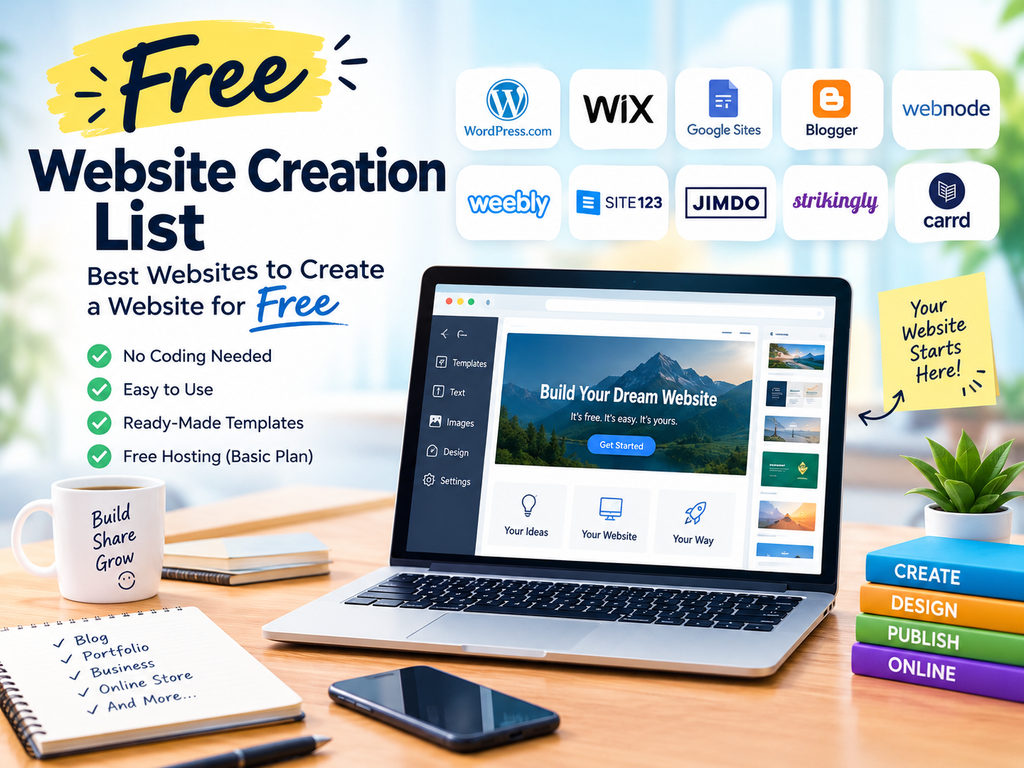
| S.NO | Website | Website Link | Best For |
| 1 | WordPress.com | https://wordpress.com/ | Blogs & business websites |
| 2 | Wix | https://www.wix.com/ | Business & portfolio websites |
| 3 | Google Sites | https://sites.google.com/ | Simple websites & projects |
| 4 | Blogger | https://www.blogger.com/ | Blogs & content publishing |
| 5 | Webnode | https://www.webnode.com/ | Small business & personal websites |
| 6 | Weebly | https://www.weebly.com/ | Business websites & online stores |
| 7 | SITE123 | https://www.site123.com/ | Beginner-friendly websites |
| 8 | Jimdo | https://www.jimdo.com/ | Small business websites |
| 9 | Strikingly | https://www.strikingly.com/ | One-page websites |
| 10 | Carrd | https://carrd.co/ | Landing pages & simple websites |
1. WordPress.com
WordPress.com is one of the popular platforms for creating blogs and websites. It offers themes and an easy content management system that beginners can use to publish articles, pages, images, and other content.
It is especially useful for bloggers and content creators who want to start a website without managing complicated technical settings.
2. Wix
Wix provides a visual website builder that allows users to create websites using templates and drag-and-drop tools. It can be useful for portfolios, personal websites, small businesses, and creative projects.
Beginners can start with a template and customize the design according to their requirements.
3. Google Sites
Google Sites is a simple website creation tool from Google. It is suitable for basic websites, project pages, educational websites, internal information pages, and simple portfolios.
One of its biggest advantages is its straightforward interface.
4. Blogger
Blogger is a Google blogging platform that allows users to create and publish blog content. It is a useful option for people who primarily want to share articles, tutorials, news, or personal content online.
For beginners interested in blogging and content marketing, Blogger can be an easy starting point.
5. Webnode
Webnode is a website builder designed for users who want to create websites without coding. It provides templates and editing tools for different types of websites.
It can be useful for personal websites, portfolios, and small business projects.
6. Weebly
Weebly offers website-building tools designed for beginners. Users can choose templates and customize their websites using a simple editor.
It can be considered for small websites, portfolios, and basic business websites.
7. SITE123
SITE123 focuses on making website creation simple for beginners. Users can choose a design, add their content, and customize important sections without requiring advanced coding skills.
It can be useful for personal websites and small businesses.
8. Jimdo
Jimdo is another website-building platform that helps users create websites using templates and simple editing tools.
It can be suitable for freelancers, entrepreneurs, and individuals who want to establish a basic online presence.
9. Strikingly
Strikingly is particularly useful for creating simple one-page websites. It can be a good choice for personal profiles, event pages, portfolios, and landing pages.
Its simple editing interface makes it accessible to beginners.
10. Carrd
Carrd focuses on creating simple and responsive one-page websites. It is useful for landing pages, personal profiles, portfolios, and small promotional websites.
For users who need a straightforward single-page website, Carrd can be a convenient option.
Why Use Free Website Creation Platforms?
Free website builders can be useful when you are testing an idea or learning how websites work.
Easy for Beginners
Most platforms provide visual editors, so you can create pages without writing complicated code.
Low-Cost Starting Point
You can start building your online presence without immediately investing in hosting or website development.
Ready-Made Templates
Templates help you create a professional-looking layout without designing everything from scratch.
Useful for Learning
Students and beginners can use free website builders to understand website structure, content publishing, design, and basic digital marketing.
Good for Small Projects
A free platform can be enough for a personal portfolio, simple blog, event page, or basic project website.
Free Website vs Paid Website
A free website is a good starting point, but it may come with limitations such as platform branding, restricted storage, limited customization, or a platform-based subdomain.
A paid website usually provides more control over the domain, hosting, storage, design features, integrations, and business functionality.
Therefore, the right choice depends on your goals and budget.
How to Choose the Right Free Website Builder?
Before selecting a platform, consider the following:
1. Purpose: Decide whether you need a blog, portfolio, business website, or landing page.
2. Ease of Use: Beginners should choose a platform with a simple editor.
3. Templates: Check whether the platform offers designs suitable for your industry.
4. Mobile Support: Make sure the website works properly on smartphones and tablets.
5. SEO Features: Look for basic options such as page titles, descriptions, URLs, and image optimization.
6. Upgrade Options: If your website grows, check whether you can move to a paid plan or custom domain.
Final Thoughts
Creating a website does not always require a large budget or advanced technical knowledge. Free website creation platforms make it easier for beginners, bloggers, students, freelancers, and small businesses to start building an online presence.
Whether you want to publish a blog, create a portfolio, promote a small business, or experiment with a new idea, these platforms can provide a simple starting point.
Before choosing a platform, compare its features, limitations, customization options, and upgrade plans. The best website builder is ultimately the one that matches your specific needs.
FAQs
1. Can I create a website for free?
Yes. Several website-building platforms offer free plans that allow you to create and publish a basic website.
2. Which free website builder is best for beginners?
Platforms such as Google Sites, Wix, WordPress.com, and other beginner-friendly builders can be considered depending on your website requirements.
3. Can I create a free website without coding?
Yes. Many modern website builders provide drag-and-drop or visual editing tools, so coding knowledge is not required for basic website creation.
4. Is a free website good for a business?
A free website can be useful for starting out, but businesses that need a custom domain, advanced features, stronger branding, and greater control may benefit from a paid website plan.
5. Can I upgrade a free website later?
In many cases, yes. Website builders commonly provide paid plans that add features such as custom domains, additional storage, advanced tools, and fewer platform limitations.