Images are one of the easiest ways to attract attention online. Whether you are a blogger, digital marketer, designer, photographer, or business owner, sharing your images on the right platforms can help you reach a wider audience and promote your content.
An image sharing list is a collection of websites where you can upload and share images publicly. These platforms can help increase visibility, attract visitors, showcase creative work, and support your overall online marketing strategy.
What Is Image Sharing?
Image sharing means uploading and publishing images on online platforms where other users can discover and view them. Popular image-sharing websites allow users to create profiles, organize images, add descriptions, and sometimes include links to related websites.
For digital marketers and bloggers, image sharing can be another way to distribute content beyond their own website.
Why Is Image Sharing Important?
Visual content can make online information easier to understand and more engaging. Sharing useful and relevant images on different platforms can provide several benefits:
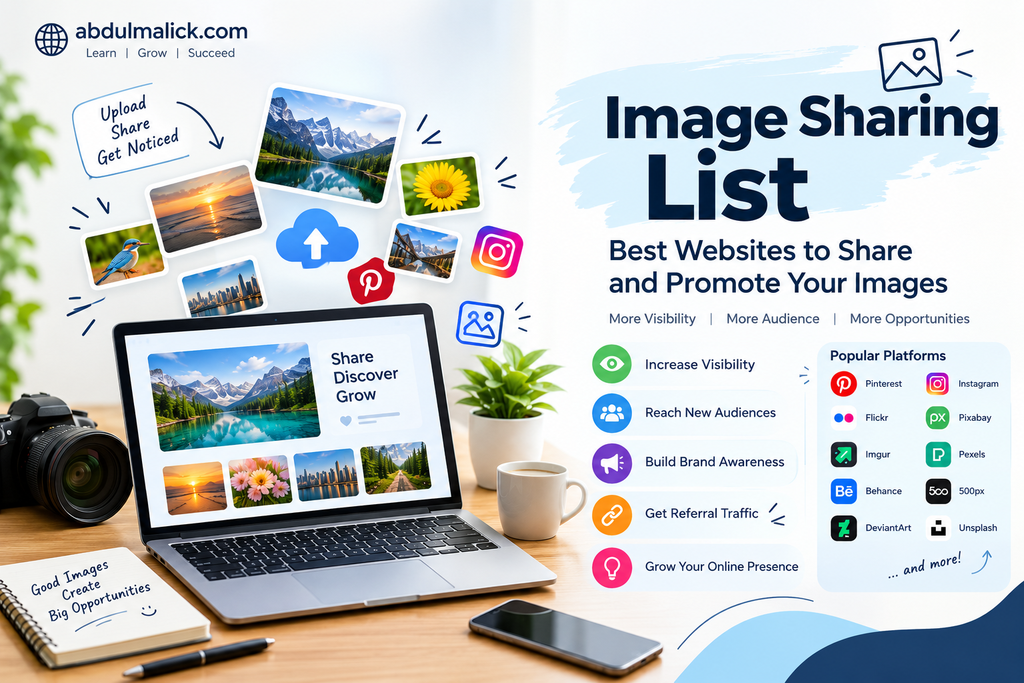
- Helps increase online visibility
- Allows you to reach new audiences
- Supports brand awareness
- Provides opportunities to showcase creative work
- Can bring referral traffic to your website
- Helps distribute visual content across multiple platforms
- Supports your overall content marketing strategy
However, results depend on the quality of the images, platform guidelines, audience, and how consistently you share useful content.
Best Image Sharing Websites
Here are some well-known platforms where users can share and discover visual content:
| S.NO | Image Sharing Website | Website Link | Best For |
| 1 | https://www.pinterest.com/ | Visual discovery & blog promotion | |
| 2 | Flickr | https://www.flickr.com/ | Photography |
| 3 | Imgur | https://imgur.com/ | Image sharing & communities |
| 4 | Behance | https://www.behance.net/ | Creative portfolios |
| 5 | DeviantArt | https://www.deviantart.com/ | Art & digital artwork |
| 6 | Dribbble | https://dribbble.com/ | Graphic & UI design |
| 7 | 500px | https://500px.com/ | Professional photography |
| 8 | Unsplash | https://unsplash.com/ | Photography & stock images |
| 9 | Pixabay | https://pixabay.com/ | Free images & visual content |
| 10 | Pexels | https://www.pexels.com/ | Free stock photos |
| 11 | Tumblr | https://www.tumblr.com/ | Visual blogging |
| 12 | ImageShack | https://imageshack.com/ | Image hosting |
| 13 | Postimages | https://postimages.org/ | Image hosting & sharing |
| 14 | ImgBB | https://imgbb.com/ | Free image hosting |
| 15 | Photobucket | https://photobucket.com/ | Photo hosting |
| 16 | SmugMug | https://www.smugmug.com/ | Photography portfolios |
| 17 | https://www.instagram.com/ | Social & visual content | |
| 18 | https://www.reddit.com/ | Niche communities | |
| 19 | ArtStation | https://www.artstation.com/ | Digital art & portfolios |
| 20 | Wikimedia Commons | https://commons.wikimedia.org/ | Free & openly licensed media |
Always check each platform’s current posting, linking, and account requirements before publishing.
How to Use Image Sharing Websites for SEO
Image sharing should not be treated simply as a way to upload pictures. You can make your visual content more useful by optimizing it before publishing.
1. Use Relevant Image Titles
Give your image a clear and descriptive file name instead of using generic names such as IMG1234.jpg.
For example:
Good: digital-marketing-strategy.jpg
Less useful: IMG_1234.jpg
2. Write a Useful Description
Add a short description explaining what the image represents. Naturally include relevant keywords where appropriate, but avoid keyword stuffing.
3. Use Relevant Keywords
Use keywords that accurately describe your image and its topic. Relevant keywords can make your content easier to discover on platforms that support search.
4. Add Your Website Link Where Allowed
Some image-sharing websites allow users to add website links in profiles, descriptions, or posts. If links are permitted, use them naturally and follow the platform’s guidelines.
5. Upload High-Quality Images
Clear and visually appealing images are more likely to attract attention. Choose the correct dimensions and file format according to the platform’s requirements.
Benefits for Bloggers and Digital Marketers
Image sharing can be useful for promoting blog posts, infographics, product visuals, social media creatives, and other forms of content.
For example, if you publish a blog about SEO strategies, you can create an infographic summarizing the main points and share it on relevant visual platforms. People who find the infographic may then visit your website to learn more.
This creates another opportunity to distribute your content and connect with potential visitors.
Tips for Effective Image Sharing
To get better results from image-sharing platforms:
- Share original and useful images
- Use relevant titles and descriptions
- Avoid uploading duplicate or low-quality images
- Follow each platform’s community guidelines
- Use keywords naturally
- Maintain consistent branding
- Share content that provides value to the audience
- Avoid excessive promotional links
- Track traffic and engagement when possible
Final Thoughts
An image sharing list can be a useful resource for bloggers, photographers, designers, businesses, and digital marketers who want to expand their online presence.
Instead of sharing images randomly, focus on platforms that are relevant to your audience and content. Combine attractive visuals with meaningful descriptions and consistent content promotion to make your image-sharing strategy more effective.
Image sharing is not a replacement for a complete SEO or digital marketing strategy, but it can be a valuable part of a broader content distribution plan.